Python is known to be a powerful and easy to learn programming language. It is designed to be efficient, simple but with effective approach to object-oriented programming. Python is an ideal language for scripting and rapid application development because of its elegant syntax and dynamic typing, together with its interpreted nature. In this short tutorial I’ll show you how to quickly install Python 3.14 in Amazon Linux 2023 server.
Python 3.14 is the newest major release of the Python programming language as of the time when this article is updated. This release contains many new features and optimizations. Among the major new features of Python 3.14 series releases as compared to 3.14 are:
- PEP 779: Free-threaded Python is officially supported.
- PEP 649: The evaluation of annotations is now deferred, improving the semantics of using annotations.
- PEP 750: Template string literals (t-strings) for custom string processing, using the familiar syntax of f-strings.
- PEP 734: Multiple interpreters in the stdlib.
- PEP 784: A new module
compression.zstdproviding support for the Zstandard compression algorithm. - PEP 758:
exceptandexcept*expressions may now omit the brackets. - Syntax highlighting in PyREPL, and support for color in unittest, argparse, json and calendar CLIs.
- PEP 768: A zero-overhead external debugger interface for CPython.
- UUID versions 6-8 are now supported by the
uuidmodule, and generation of versions 3-5 are up to 40% faster. - PEP 765: Disallow
return/break/continuethat exit afinallyblock. - PEP 741: An improved C API for configuring Python.
- A new type of interpreter. For certain newer compilers, this interpreter provides significantly better performance. Opt-in for now, requires building from source.
- Improved error messages.
- Builtin implementation of HMAC with formally verified code from the HACL* project.
- A new command-line interface to inspect running Python processes using asynchronous tasks.
- The pdb module now supports remote attaching to a running Python process.
Install Python 3.14 on Amazon Linux 2023
The key focus for this article is to help you install Python 3.14 on Amazon Linux 2023. There are many standard libraries freely available in source or binary form for all major platforms from the Python Web site, https://www.python.org/ which can be used to extend Python features.
Installing Python 3.14 from the source
If you’re performing this installation at later time when there is a newer release you may find latest version in the extras repository.
For manual installation you need to update system and install dependencies.
sudo yum -y update
sudo yum -y groupinstall "Development Tools"
sudo yum -y install openssl-devel bzip2-devel libffi-devel
Once dependencies are installed, you can then download the latest archive of Python 3.14 release.
sudo yum -y install wget
wget https://www.python.org/ftp/python/3.14.2/Python-3.14.2.tgz
Extract the package.
tar xvf Python-3.14.2.tgzChange the created directory:
cd Python-3.14*/Setup installation by running the configure script.
./configure --enable-optimizations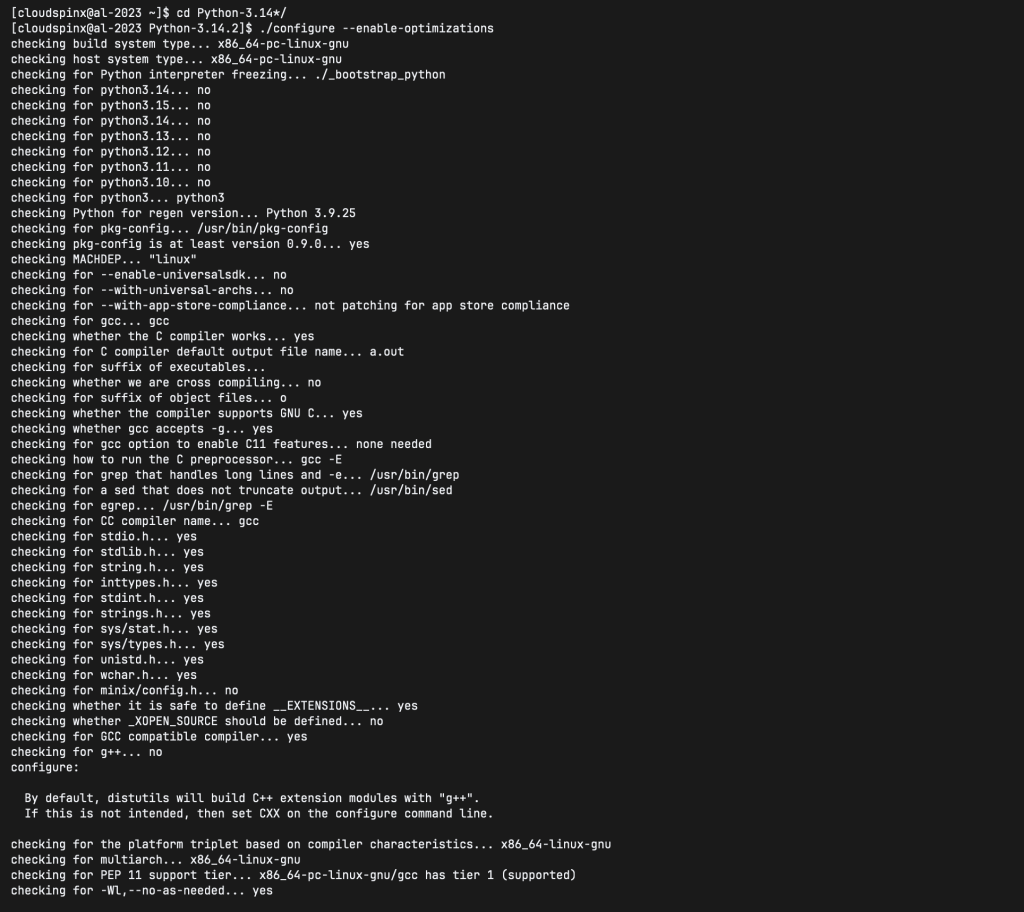
Initiate compilation of Python 3.14 on Amazon Linux 2023.
sudo make altinstall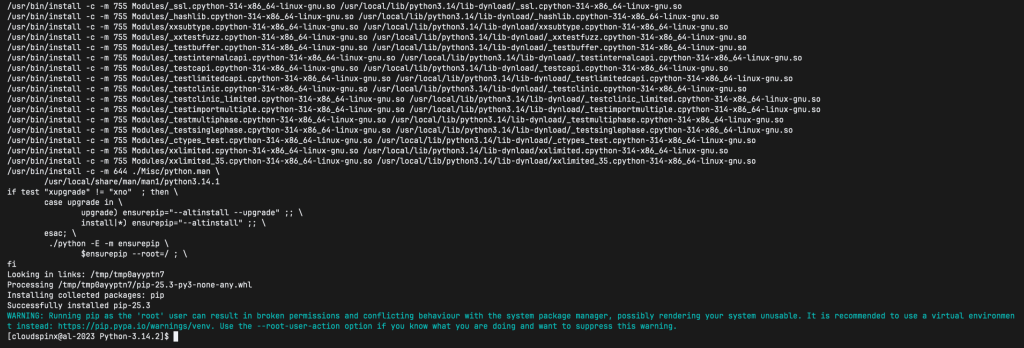
Confirm installed version of Python:
$ python3.14 --version
Python 3.14.2
Setting Default Python version for your user on Amazon Linux 2023
The default version of Python available is 3.9 and newer Python versions (e.g., 3.14.x) are installed under /usr/local/ and NOT meant to replace system Python. This is by design because replacing the system Python would break system tools such as dnf, which you don’t want.
$ python3 -V
Python 3.9.25
You can interactively call Python 3.14 interpreter with python3.14 command:
$ python3.14 -V
Python 3.14.2
To set Python 3.14 as the default python for your user, you can do so by setting up your own aliases:
echo 'alias python3="/usr/local/bin/python3.14"' >> ~/.bashrc
echo 'alias python="/usr/local/bin/python3.14"' >> ~/.bashrc
source ~/.bashrc
Use python command to check current default version.
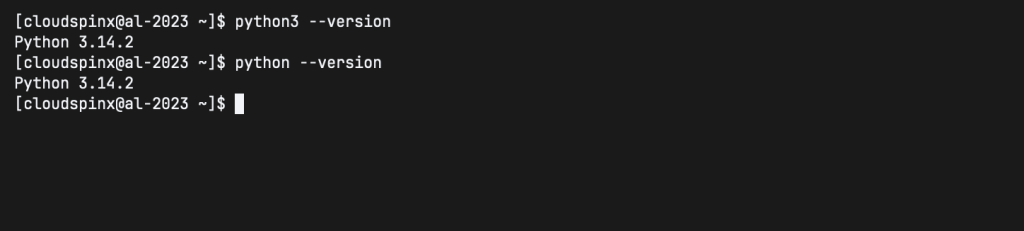
Python 3.8 has been installed successfully in our Amazon Linux 2023 server.
Other articles on Amazon Linux are: