Canvas transformed higher education, but its academic DNA strains when you run a compliance program or roll out sales enablement at scale. Even TechRadar’s 2026 roundup still calls Canvas the best online learning platform for app integration while noting its campus-first design.
Corporate learning teams face stricter audit trails, role-based access, and learners who expect training inside Microsoft Teams, on a phone screen, or in the flow of work. They also need proof that every dollar spent moves skills, and revenue.
A new crop of business-first platforms meets that bar. Some focus on rapid authoring; others lean on AI-powered skills analytics or deep HR integrations. We spent the last quarter parsing analyst reports, user reviews, and 2024-26 release notes to spotlight nine stand-outs.
Scope for this guide
- Ship core LMS functions such as SCORM/xAPI tracking
- Demonstrate enterprise traction since 2024
- Publish regular product updates
Pure course marketplaces and sunset products didn’t make the cut.
You’ll see GoSkills cited often. Its browser-based builder remains one of the best online course builders for teams, so we benchmarked it alongside the heavyweights.
Next, we’ll unpack the criteria that matter most, integrations, analytics, security, and the macro trends reshaping corporate learning, including, according to eLearning Industry, the 58 percent of employees who now prefer self-paced microlearning.
Let’s find the platform that works like your business does.
How we evaluated each platform
We didn’t guess. We built a scoring matrix and ran every platform through the same gauntlet.
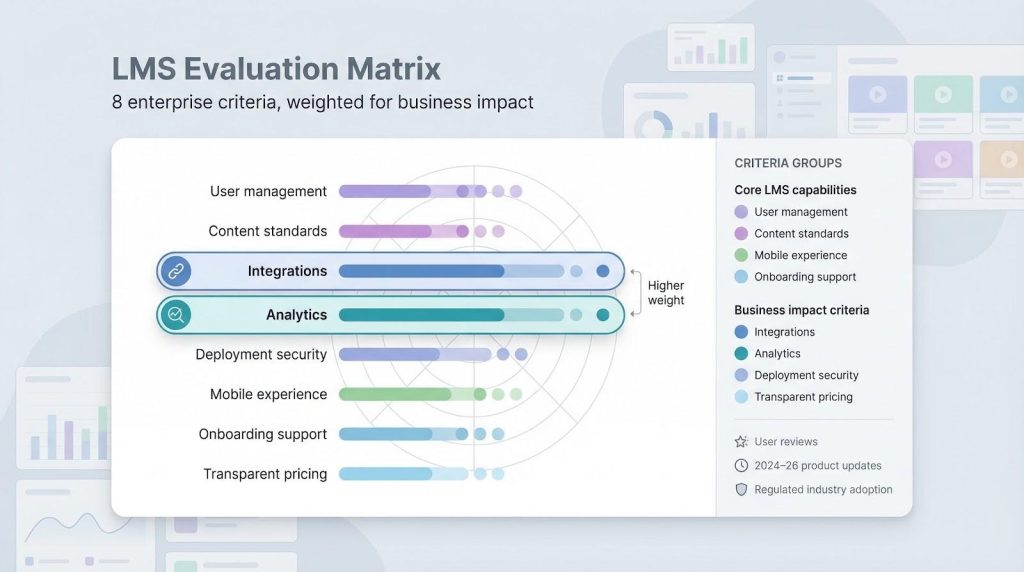
First, we pulled fresh G2 and Capterra ratings to see how real admins rate day-to-day usability. Then we mapped each contender against eight enterprise must-haves: user management, content standards, integrations, analytics, deployment security, mobile experience, onboarding support, and transparent pricing.
Next came a reality check. We verified 2024-26 product release notes to confirm momentum, not marketing spin. If a vendor hasn’t shipped a meaningful update in two years, it’s out. We also scanned press releases and analyst briefings for proof of adoption inside regulated industries, because if a bank trusts the platform, your compliance program is in safe hands.
Finally, we assigned weightings. Integrations and analytics received extra clout because they tie learning to business systems and results. The outcome: a clear, apples-to-apples view of which tools deserve a closer look.
Five trends reshaping corporate learning
Artificial intelligence now fuels everything from course tagging to skills-gap forecasts. Early chatbots merely answered questions; current engines draft modules and push personalised playlists into the workday. Eighty percent of learning leaders rank AI-driven analytics as a top priority, so the technology can’t be ignored.
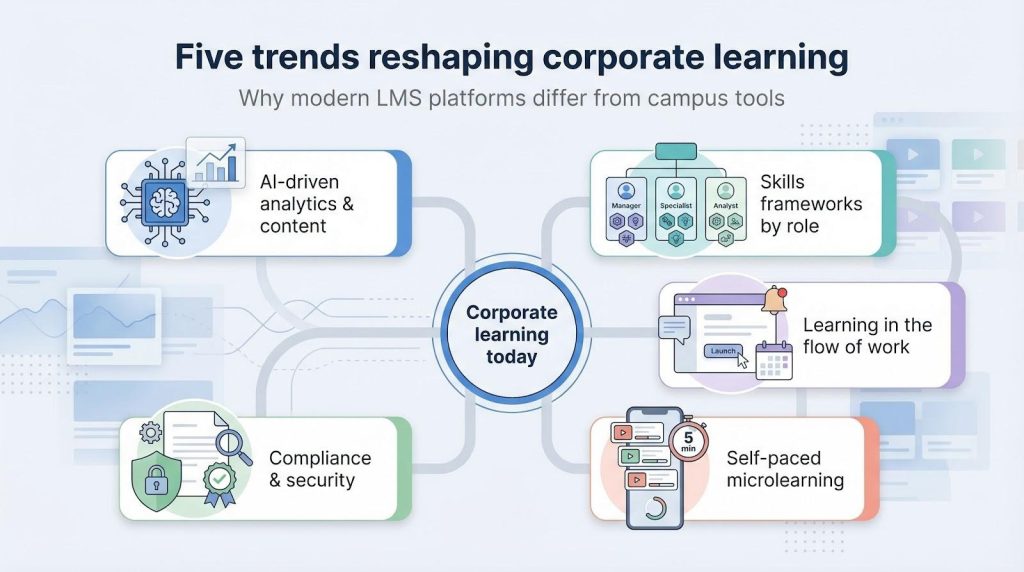
Second, organisations have replaced one-off training events with skills frameworks tied to roles. Executives no longer ask, “Who finished the course?” but, “Which skills advanced?” That shift forces platforms to share learning data with HR systems and talent marketplaces.
Third, learning happens in the flow of work. Slack, Microsoft Teams, and Salesforce channels host daily tasks, so platforms that surface micro-lessons inside those tools record higher completion rates and faster impact.
Fourth, employees crave brevity. As of 2025, fifty-eight percent prefer self-paced, bite-sized learning to day-long classes. This appetite drives mobile-first authoring, swipeable video, and quick progress cues.
Finally, compliance and security standards grow stricter each year, especially in finance and healthcare. Modern platforms must encrypt data at rest, log every completion, and supply auditors with instant reports despite shorter content formats.
Keep these five forces in mind while we assess each alternative; the best choice is the one that rides them with minimal effort on your part.
Why Canvas falls short for corporate training
Canvas earned its stripes in lecture halls, not boardrooms. The core design, gradebooks, semester calendars, assignment rubrics, mirrors higher-ed rhythms and becomes friction when you roll out evergreen compliance or skills initiatives.
Reporting is the first hurdle. Instructors value Canvas quiz analytics, yet auditors need proof of completions, expirations, and recertification cycles. Canvas can approximate those views with custom scripts, but one-click compliance dashboards in Absorb or SAP Litmos work out of the box.
Integration depth also lags. Canvas offers a rich LTI marketplace, but most apps target academics: proctoring, plagiarism checkers, student portfolios. Enterprise buyers need native ties to HRIS, Salesforce, Microsoft Viva, and SOC 2 logging tools. Many end up hiring consultants to bridge the gap.
Pricing feels out of step with business norms. Universities sign multiyear, per-enrollment deals covered by system budgets. Corporations prefer clear seat tiers or usage-based SaaS. Canvas quotes often appear opaque when procurement teams compare them with straightforward menus from TalentLMS or Docebo.
Canvas excels at structured courses and campus collaboration. Once you need evergreen learning paths, tight HR workflows, and airtight audit trails, the platform strains. That tension led Instructure to spin off Bridge for corporate clients, and it is why the nine alternatives ahead focus on these gaps by design.
Rapid authoring and SMB-friendly platforms
Small and mid-sized teams share a simple mandate: create courses fast, publish them everywhere, and protect the budget. The three options below meet that goal without losing the enterprise features you will need as you grow.
1. GoSkills course builder
GoSkills began as a course marketplace, but its browser-based builder (winner of EdTech Digest’s 2023 Cool Tool award) has grown into the best online course builder for teams, giving L&D staff a slide-plus-video studio that feels closer to Canva than to legacy tools. Drag a template, drop captions or quiz breaks, and the platform packages SCORM behind the scenes.
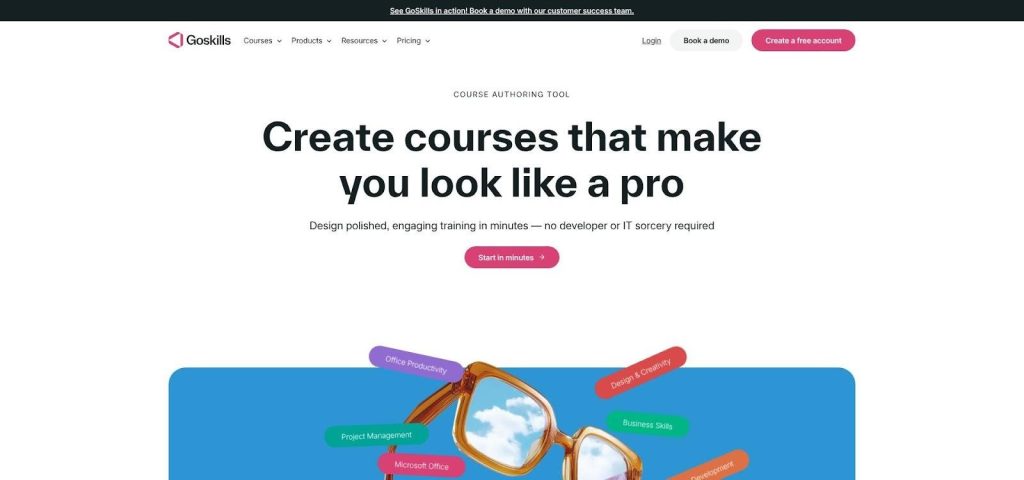
GoSkills course builder UI screenshot for corporate training teams.
On the admin side, GoSkills offers lightweight groups, progress dashboards, and single sign-on with Microsoft or Google. That covers companies with fewer than one thousand learners. While Canvas follows semester timelines, GoSkills supports evergreen micro-courses you can refresh in minutes.
Pricing stays transparent. Plans start at a few dollars per learner each month, and every tier includes the authoring suite. For many teams, that predictability beats Canvas quotes tied to unclear “enrollment bands.”
Ideal fit: high-growth startups or departments that prize speed, design polish, and an easy learning curve over deep compliance needs.
2. TalentLMS
TalentLMS shows you do not need a six-figure bill to secure enterprise features. The platform layers role permissions, custom reports, and more native integrations than any SMB tool we tested: Slack, Salesforce, and more than 200 Zapier connectors.
Authoring is intentionally simple. Build pages inside the LMS or upload SCORM, xAPI, or CMI5. If you prefer Articulate, TalentLMS still tracks every click. Compared with Canvas, it wins on built-in gamification; badges, levels, and leaderboards engage learners without extra setup.
The vendor refreshed its interface in late 2025, adding dark mode, faster search, and instant language toggling, which helps global teams. Transparent pricing starts with a free tier for ten learners and scales to predictable bundles up to one thousand seats before enterprise quotes begin.
Ideal fit: cross-functional business units that want a playful learner experience plus integrations you can configure over lunch.
3. iSpring Learn
If you already build slide decks in PowerPoint, iSpring Learn feels familiar. The authoring plug-in converts decks into interactive courses with branching scenarios and dialogue simulations. Publish once, and the cloud LMS tracks every metric.
Compliance managers value iSpring certificate automation and deadline reminders. Compared with Canvas, expirations and retraining windows take minutes to set up instead of custom code. The mobile app downloads content for offline viewing, supporting field teams with limited bandwidth.
Pricing follows a per-active-user plan, updated in 2024 to include a full iSpring Suite authoring licence at no extra cost. Support is famously quick, with sub-two-hour ticket responses reported by G2 reviewers.
Ideal fit: organisations that live in PowerPoint and need to convert decks into trackable learning without hiring an e-learning developer.
Enterprise-grade suites
Complex hierarchies, strict security, and global scale require more advanced tooling. The next five platforms deliver deep compliance workflows, extensible APIs, and dashboards your CFO can read without a decoder ring. We start with Absorb and continue through the other heavyweights.
4. Absorb LMS
Absorb makes one promise: no matter how tangled your org chart becomes, learners still see a clear interface and admins still pull reports in seconds. The Canadian vendor backs that claim with a “smart rules” engine. Define a rule, such as all sales reps in EMEA who missed last quarter’s quota, and Absorb enrols them, notifies them, and tracks completions without a spreadsheet.
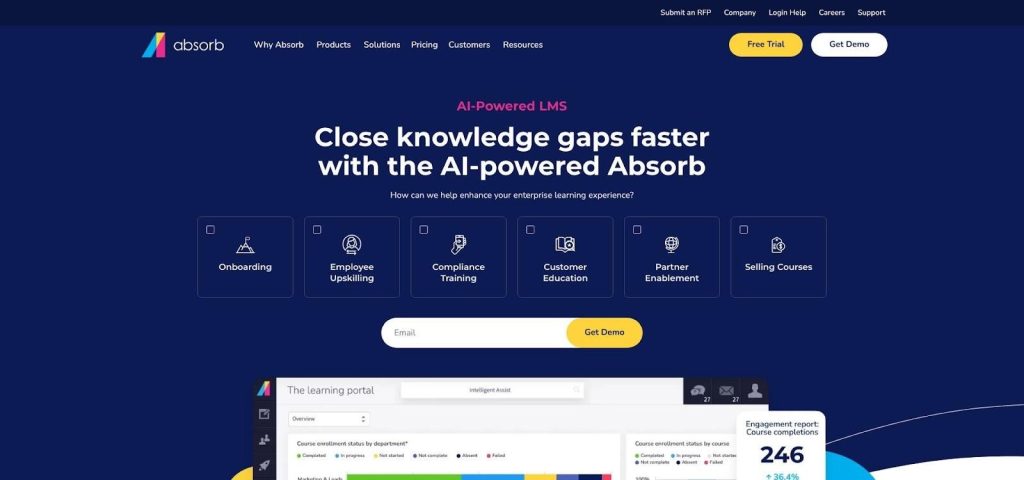
Absorb LMS smart rules and analytics dashboard screenshot.
Content freedom distinguishes Absorb from Canvas. Drag-and-drop authoring exists, yet the real power lives in its universal player. SCORM, xAPI, cmi5, or plain MP4 all render consistently, even in the mobile app. Analytics flow into configurable dashboards that flag overdue learners or expiring certifications before an auditor notices.
Integrations cover Workday, SAP SuccessFactors, Zoom, and a growing library of REST hooks for custom workflows. Multitenancy lets corporate HQ push mandatory modules to subsidiaries while letting each region manage local catalogues and branding.
Pricing is quote-based, but customers report that final deals often undercut equal Canvas contracts once consultancy hours enter the equation. Implementation averages eight weeks, helped by templated data-migration playbooks.
Ideal fit: multinational firms with multiple brands, languages, and regulatory regimes that need airtight audit trails without burying learners in complexity.
5. SAP Litmos
SAP Litmos pairs the stability of an ERP giant with the speed of a cloud LMS. Companies already running SAP SuccessFactors or S/4HANA benefit from native connectors that reduce integration and single sign-on work. Data flows both ways, so completions update employee records automatically, and managers track learning impact in the HR dashboard they already trust.
Compliance automation is the standout. Create a path, set a validity period, and the system reassigns the module before certifications lapse. Granular e-signatures, version control, and regional policy variants cover boxes Canvas fills with third-party scripts.
Build content in the course builder or upload from Articulate, Captivate, and other tools. The player reads SCORM, xAPI, and even AICC, smoothing migration of legacy material. A 2025 UI overhaul added adaptive playlists and microlearning tiles that echo popular streaming apps.
Pricing starts with tiered seat bands around 150 learners, with discounts above one thousand. The upside is clear: advanced analytics, a mobile app, and unlimited API calls arrive in a single contract instead of piecemeal add-ons.
Ideal fit: regulated industries already using SAP for HR or finance that need a learning platform wired into that ecosystem without extra middleware.
6. Adobe Learning Manager
Adobe knows creatives, and its LMS shares that polish. Learning Manager wraps every course in a storefront-style catalogue that feels more Netflix than filing cabinet. Learners swipe through tiles, bookmark favourites, and resume progress across desktop, tablet, or phone.
Authoring is frictionless if you already live in Adobe’s world. Captivate files publish with one click, while Photoshop and Premiere assets flow straight into modules through Creative Cloud Libraries. The pipeline shortens production cycles that otherwise leave Canvas admins juggling exports.
Skill dashboards turn completions into competency bars managers can grasp at a glance. An AI recommendation engine suggests new paths by role, interests, and peer activity, useful when you want to nudge employees toward emerging tech skills without spamming them.
Adobe checks ISO 27001 and SOC 2 boxes and offers automatic retake scheduling similar to SAP Litmos. The 2025 release added xAPI video analytics, showing which minute of a tutorial loses viewers so teams can tighten edits.
Subscriptions begin at a few hundred active users. Each seat includes the mobile app, social boards, and APIs for custom portals, so you avoid upgrade tolls as needs expand.
Ideal fit: creative or customer-facing teams that demand media-rich experiences and data-driven dashboards while meeting enterprise security standards.
7. Docebo
Docebo markets itself as a full learning suite: traditional LMS, LXP-style discovery, content marketplace, and AI engine in one. That breadth drives its momentum, with revenue growing twenty-two percent year on year in 2024, a trend analysts noted.
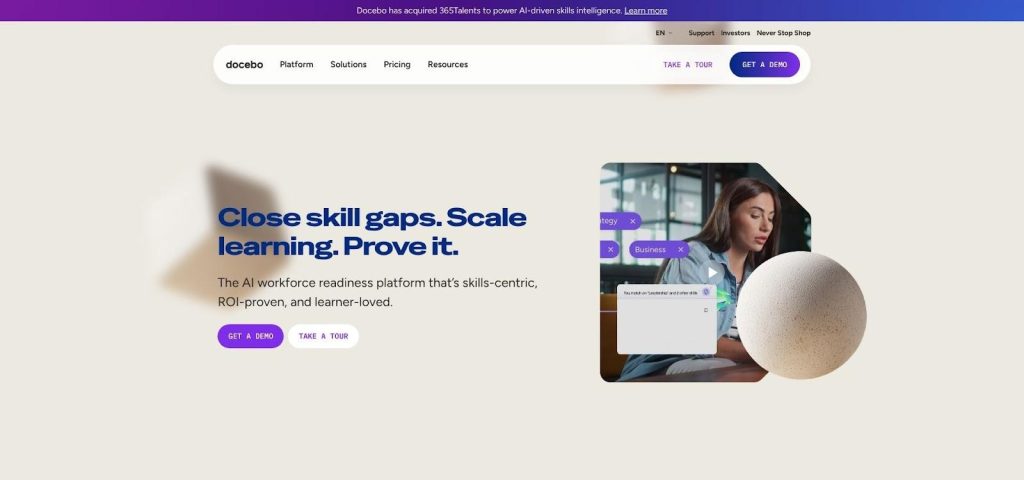
Docebo AI-powered corporate learning platform interface screenshot.
AI sits at the core. Deep Search auto-tags every upload and surfaces personalised playlists without manual taxonomy. Conversation-based practice modules let sellers rehearse pitches with an AI coach that scores tone and keywords, then feeds results back to dashboards.
Integration runs deep. Connectors link to Microsoft Teams, Salesforce, and HRIS platforms such as Workday. Open REST APIs and webhooks let completions, skills, and engagement metrics flow into whichever BI tool executives use each morning.
The interface feels consumer grade. Learners swipe through carousels, while managers drag widgets to build reports. Canvas can mimic some of this with add-ons, yet Docebo ships it natively and updates quarterly without downtime.
Pricing starts in the low five figures for mid-market licences and scales by active users. Every plan includes the AI suite, so teams test headline features without extra fees.
Ideal fit: fast-growing enterprises seeking skills clarity across departments and AI automation that reduces admin work instead of adding another dashboard.
8. Totara Learn (Moodle-based)
Totara began as a fork of Moodle built for corporate needs, and fifteen years later that heritage still provides open-source flexibility paired with enterprise safeguards.
You will recognise Moodle course formats, but Totara adds role hierarchies, programmes, and certification cycles. Map your org chart, assign a path, and let the platform chase expirations without plugins. Canvas users often recreate those workflows through LTI add-ons, increasing upkeep risk.
Thousands of Moodle plugins remain compatible, yet Totara secures the core with ISO 27001, multi-tenant controls, and a permissions matrix trusted by banks. The 2025 release introduced native Microsoft Teams meetings, OpenID Connect SSO, and a report builder that exports straight to Power BI.
Deployment stays flexible. Use Totara Cloud, run Docker on AWS, or keep data on-premises if policy requires. That choice beats most SaaS-only suites and lets hybrid IT teams rely on familiar Linux tooling.
Pricing is per active user, but the open code avoids vendor lock-in. Global partners sell fixed-price implementation bundles, including Canvas migration scripts that convert question banks to Totara formats in bulk.
Ideal fit: organisations that want open-source control, turnkey compliance features, and a roadmap shaped by an active corporate community rather than academic councils.
Collaborative and AI-driven learning
Peer-to-peer knowledge rarely fits inside a linear course. When expertise lives in Slack threads and quick Loom demos, you need a platform that captures that energy, packages it, and measures the impact. 360Learning was built for that purpose.
9. 360Learning
At its core, 360Learning changes the model: subject-matter experts author content, not only the L&D team. A Google Docs-style editor lets multiple contributors draft, comment, and approve lessons in hours, not weeks. Built-in AI drafts quiz questions from your text and flags clarity issues, freeing people to focus on nuance.
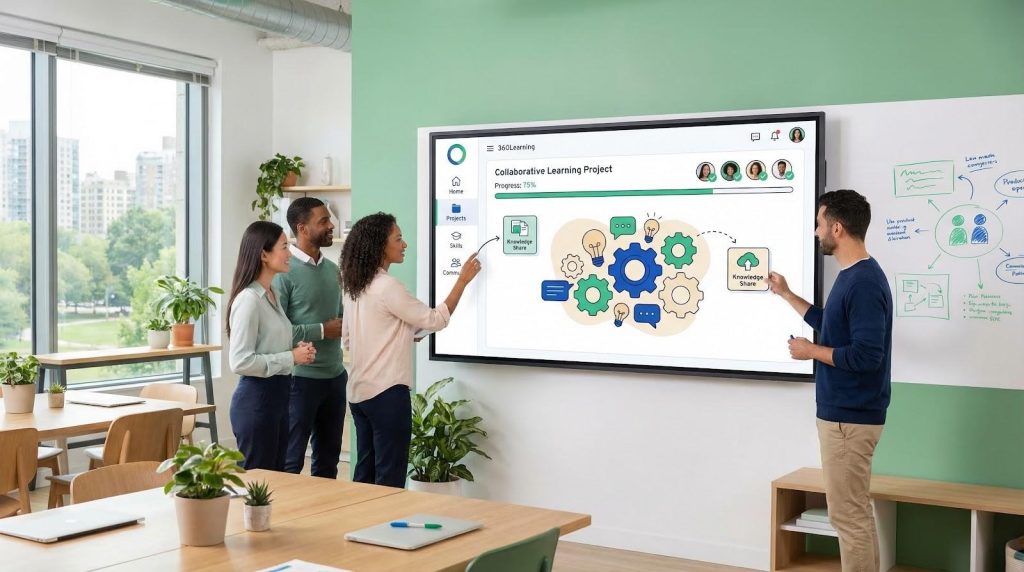
360Learning collaborative learning interface screenshot.
Collaboration continues after launch. Discussion threads sit beside every slide, so learners ask questions in context and up-vote helpful answers. Those data points feed an engagement score that flags stale modules long before completion rates drop.
Integrations focus on flow-of-work. Push a micro-lesson into Microsoft Teams, harvest views, and watch progress sync back to 360Learning without manual exports. Canvas can post announcements to Teams, yet 360Learning tracks seat time, reactions, and follow-up actions in real time.
Analytics highlight community impact. Managers see which employees both consume and create high-rated content, nudging a knowledge-sharing culture. A 2025 update added skills tagging, so user-generated modules now link to formal competency frameworks.
Pricing follows a per-active-user model, starting at a few dollars each month, with unlimited author seats to keep barriers low for emerging experts.
Ideal fit: organisations that want to tap internal expertise and turn top performers into micro-mentors without overloading the L&D team.
Honorable mentions
Bridge LMS grew out of Instructure’s spin-off for corporate clients. The platform combines learning paths with performance conversations and goal tracking, so managers view coaching and course data in one place. If you want a light talent suite without buying a full HRIS, Bridge is worth a demo.
Coassemble focuses on drag-and-drop authoring with playful animations and branching quizzes. It lacks the deep compliance features large enterprises need, yet teams that value design freedom over audit reports often prefer its Canva-style interface.
Both platforms share one limitation: smaller ecosystems mean fewer native integrations and community extensions than the options above. If your use case leans toward blended performance management or visually rich micro-courses, these honorable mentions still deliver solid value.
How to choose the right LMS for your team
Picking a platform is less about ticking boxes and more about matching learning goals to business pressure points. Begin with company size. A fifty-person startup can thrive on GoSkills or TalentLMS because speed and simplicity outrank granular permissions. A global manufacturer with five brands under one umbrella needs Absorb-level multitenancy so each region runs local courses without breaking corporate policy.
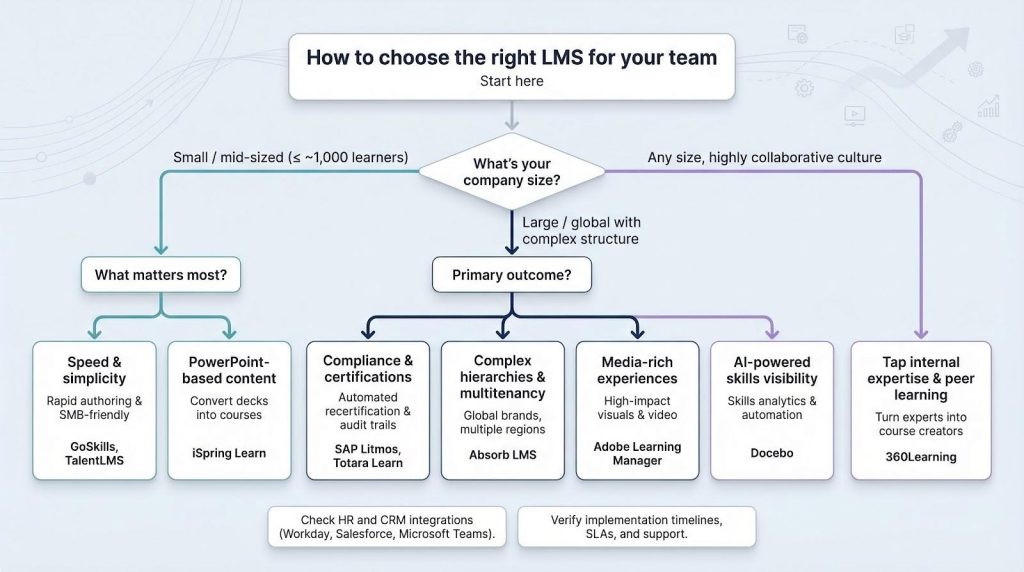
Next, focus on your primary outcome. If auditors crowd your inbox, select tools with automated recertification such as SAP Litmos or Totara. If skills visibility tops the CEO’s dashboard, Docebo’s AI analytics or 360Learning’s peer-created libraries surface gaps faster than end-of-quarter quizzes.
Integrations often decide the tiebreaker. Does your HR team live in Workday? Shortlist platforms with native two-way connectors so completion data flows back to talent profiles. Teach sales teams? Choose systems that push micro-lessons into Salesforce or Microsoft Teams, removing another login.
Budget deserves honesty. Transparent tier pricing (GoSkills, TalentLMS) lets finance model ROI in minutes. Quote-only suites can still pay off, but leave time for procurement to negotiate and legal to review security appendices.
Finally, measure support. A sleek interface means little if migration stalls. Ask each vendor for implementation timelines, SLA response targets, and a named success manager, then verify with reference calls.
If you prefer visuals, skim the comparison table below. It maps our nine contenders against eight enterprise criteria so you can spot fit at a glance. Follow the flowchart to match company size and top priority to a recommended segment. Five minutes there will save weeks of vendor demos later.