

Analytical databases store and manage big data, including data mining, business, market and customer data for business intelligence (BI) analysis. Analytical databases are specially optimized to provide faster queries and are designed to efficiently handle large volumes of data.
There are several examples of analytical databases, the most popular ones are SAP HANA, Oracle Database, Microsoft SQL Server Analysis Services, Google BigQuery, Apache Cassandra, Amazon Redshift etc. Today will walk through how to install and use Apache Doris Analytics Database on Rocky / AlmaLinux 8. But before that, we need to know what Apache Doris is.
What is Apache Doris?
Apache Doris, formerly known as Palo, is an open-source, easy-to-use, high-performance and real-time distributed analytical data warehousing system. It was initially developed by Baidu and was later donated to the Apache Software Foundation.
Doris is built on top of the Apache Hadoop ecosystem, including HDFS and Apache HBase, and provides a SQL interface for data querying and analysis. It supports both batch and streaming data processing and can handle both structured and semi-structured data.
The features and benefits associated with Apache Doris are:
- Security and Access Control: It provides security and access control features to ensure that data is only accessed by authorized users.
- Data Visualization: It supports a range of data visualization and reporting tools, including Tableau and Superset, making it easy to create visualizations and reports from data.
- SQL Interface: Doris provides a SQL interface for data querying and analysis, making it easy for users to query and analyze data using familiar SQL syntax.
- Multidimensional Data Modeling: Doris supports multidimensional data modelling and OLAP analysis, making it easy to analyze data across multiple dimensions.
- Real-time Data Ingestion: It supports real-time data ingestion and processing, allowing users to perform analysis on up-to-date data.
- Distributed Architecture: Doris is built on top of Apache Hadoop and HBase and uses a distributed architecture to scale horizontally as data volumes increase.
- High Query Performance: It provides high-speed query performance, even on complex analytical queries, by using pre-aggregation and caching techniques.
Install Apache Doris Analytics on Rocky / Alma 8
The Apache Doris architecture comprises only two types of processes. These are:
- Frontend (FE): user request access, query parsing and planning, metadata management, node management, etc.
- Backend (BE): data storage and query plan execution
Both types of processes are horizontally scalable, and a single cluster can support up to hundreds of machines and tens of petabytes of storage capacity. And these two types of processes guarantee the high availability of services and high reliability of data through consistency protocols. This highly integrated architecture design greatly reduces the operation and maintenance costs of a distributed system.
Below is an illustration of the Apache Doris architecture

Now let’s plunge in!. Doris requires the following:
- Java 1.8 and above
- GCC 4.8.2 and above
- Centos 7.1/Ubuntu 16.04 and above
1. Install Java runtime
Doris runs on a Linux environment with a Java runtime environment installed. The minimum JDK version required is 8.
sudo yum -y install java-11-openjdk java-11-openjdk-develCheck the installed Java version with the command:
$ java -version
openjdk version "11.0.19" 2023-04-18 LTS
OpenJDK Runtime Environment (Red_Hat-11.0.19.0.7-2) (build 11.0.19+7-LTS)
OpenJDK 64-Bit Server VM (Red_Hat-11.0.19.0.7-2) (build 11.0.19+7-LTS, mixed mode, sharing)
Check if your CPU supports AVX2:
lscpu | grep avx2
##OR
cat /proc/cpuinfo | grep avx2
If you see no output, then your CPU doesn’t support AVX2 and so you need to select the appropriate archive for Apache Doris.
2. Download Apache Doris
Once Java has been installed download the latest binary version of Doris from the downloads page. You can also use the below command to pull the binary.
VERSION=1.2.6

##X64 ( avx2 )
wget https://apache-doris-releases.oss-accelerate.aliyuncs.com/apache-doris-$VERSION-bin-x64.tar.xz

##X64 ( no avx2 )
wget https://apache-doris-releases.oss-accelerate.aliyuncs.com/apache-doris-$VERSION-bin-x64-noavx2.tar.xz

##ARM64
wget https://apache-doris-releases.oss-accelerate.aliyuncs.com/apache-doris-$VERSION-bin-arm64.tar.xz
Once downloaded, extract the file:
tar xf apache-doris-*.tar.xz3. Install and Configure Apache Doris FE
Once downloaded and extracted, we will start by installing the Apache Doris FrontEnd. Navigate to the directory:
cd apache-doris-*/feOnce here, there is a configuration file stored at conf/fe.conf in which we need to make some modifications. The two main parameters to modify here are priority_networks and meta_dir
vim conf/fe.confFirst, add the priority_networks parameter as shown:
priority_networks = 192.168.200.0/24 Remember to replace the network parameter to match your network, then add the metadata directory.
meta_dir = ${DORIS_HOME}/doris-metaYou can also modify the JAVA_OPTS to use the desired memory value:
JAVA_OPTS="-Xmx2048m ...

# For jdk 9+, this JAVA_OPTS will be used as default JVM options
JAVA_OPTS_FOR_JDK_9="-Xmx2048m ...
Once these changes have been made, save the file then allow the required ports through the firewall:
sudo firewall-cmd --add-port={8030/tcp,9020/tcp,9030/tcp,9010/tcp} --permanent
sudo firewall-cmd --reload
Now start the Apache Doris Front End services using the command:
./bin/start_fe.sh --daemonVerify if the service is running:
$ curl http://127.0.0.1:8030/api/bootstrap
{"msg":"success","code":0,"data":{"replayedJournalId":0,"queryPort":0,"rpcPort":0,"version":""},"count":0}
From the above output, we can see that the Apache Doris FE is running on port 8030. Now we will try and access the service via the browser using the URL http://IP_Address:8030
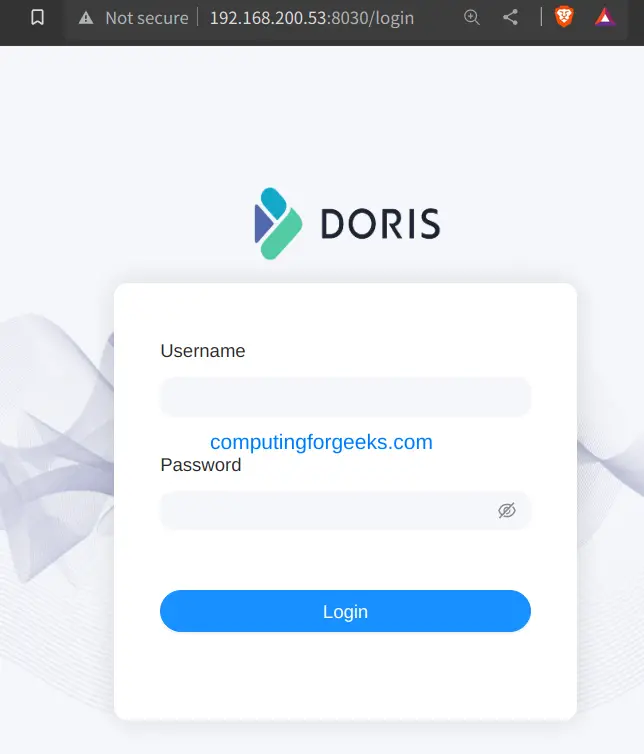
You can now log in using the built-in user root with an empty password.
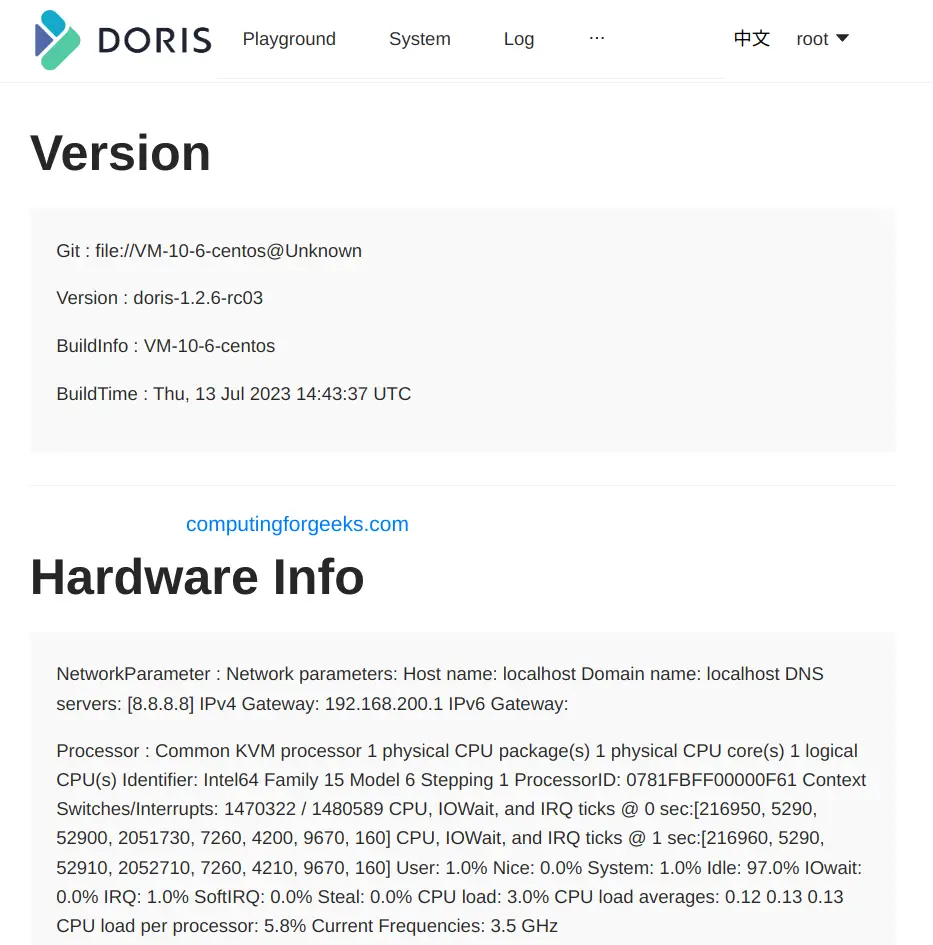
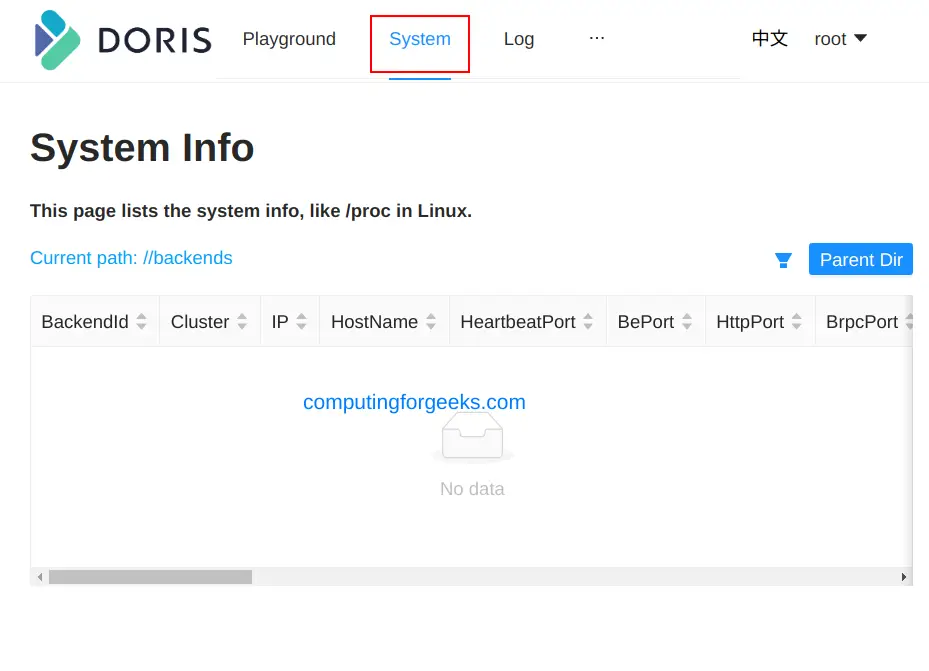
In the systems info, we have no backend for Apache Doris.
You can also connect to the Doris FE using a MySQL client. Ensure that it is installed on your machine before you proceed. On Rocky Linux 8/Alma Linux 8, use the command:
sudo yum install mysqlNow connect to Doris FE using the client:
$ mysql -uroot -P9030 -h127.0.0.1
Welcome to the MySQL monitor.  Commands end with ; or \g.
Your MySQL connection id is 0
Server version: 5.7.99 Doris version doris-1.2.6-rc03-Unknown

Copyright (c) 2000, 2023, Oracle and/or its affiliates.

Oracle is a registered trademark of Oracle Corporation and/or its
affiliates. Other names may be trademarks of their respective
owners.

Type 'help;' or '\h' for help. Type '\c' to clear the current input statement.

mysql>
Once connected, you can check the FE information:
mysql> show frontends\G;
*************************** 1. row ***************************
             Name: 192.168.200.53_9010_1690022537740
               IP: 192.168.200.53
      EditLogPort: 9010
         HttpPort: 8030
        QueryPort: 9030
          RpcPort: 9020
             Role: FOLLOWER
         IsMaster: true
        ClusterId: 2025977646
             Join: true
            Alive: true
ReplayedJournalId: 214
    LastHeartbeat: 2023-07-22 06:53:54
         IsHelper: true
           ErrMsg:
          Version: doris-1.2.6-rc03-Unknown
 CurrentConnected: Yes
1 row in set (0.02 sec)
4. Install and Configure Apache Doris BE
Now we need to install the Apache Doris backend, but first, we need to make some configs as we did for the FE. First, navigate to the BE directory
cd ../beOnce here, open the config file:
vim conf/be.confNow make the modifications as desired. The two main parameters here are priority_networks and storage_root.
Add the priority_networks parameter
priority_networks=192.168.200.0/24Then add the BE data storage directory
storage_root_path= ${DORIS_HOME}/storageYou also need to ensure that the JAVA_HOME environment variable is set and UDF functions have been installed. Now save the file and make the below setting:
$ sudo vim /etc/sysctl.conf
vm.max_map_count=2000000
Apply the changes:
sudo sysctl -pAlso, set the maximum number of open file descriptors on your system.
$ vim ~/.bashrc
ulimit -n 65536
Source the profile:
source ~/.bashrcStart Apache Doris BE.
./bin/start_be.sh --daemonThe next thing to do is add the backend to the cluster. First, connect to the FE using the MySQL client as we did earlier:
mysql -uroot -P9030 -h127.0.0.1Then add the BE using the command:
ALTER SYSTEM ADD BACKEND "192.168.200.53:9050";In the command, replace 192.168.200.53 with the be_host_ip as set in the priority_networks and 9050 as the heartbeat_service_port.
Once the command has been executed, you can check the status:
mysql> SHOW BACKENDS\G;
*************************** 1. row ***************************
              BackendId: 10003
                Cluster: default_cluster
                     IP: 192.168.200.53
          HeartbeatPort: 9050
                 BePort: 9060
               HttpPort: 8040
               BrpcPort: 8060
          LastStartTime: 2023-07-22 08:28:27
          LastHeartbeat: 2023-07-22 08:28:50
                  Alive: true
   SystemDecommissioned: false
  ClusterDecommissioned: false
              TabletNum: 0
       DataUsedCapacity: 0.000
          AvailCapacity: 21.705 GB
          TotalCapacity: 35.022 GB
                UsedPct: 38.03 %
         MaxDiskUsedPct: 38.03 %
     RemoteUsedCapacity: 0.000
                    Tag: {"location" : "default"}
                 ErrMsg:
                Version: doris-1.2.6-rc03-Unknown
                 Status: {"lastSuccessReportTabletsTime":"2023-07-22 08:28:51","lastStreamLoadTime":-1,"isQueryDisabled":false,"isLoadDisabled":false}
HeartbeatFailureCounter: 0
               NodeRole: mix
1 row in set (0.01 sec)
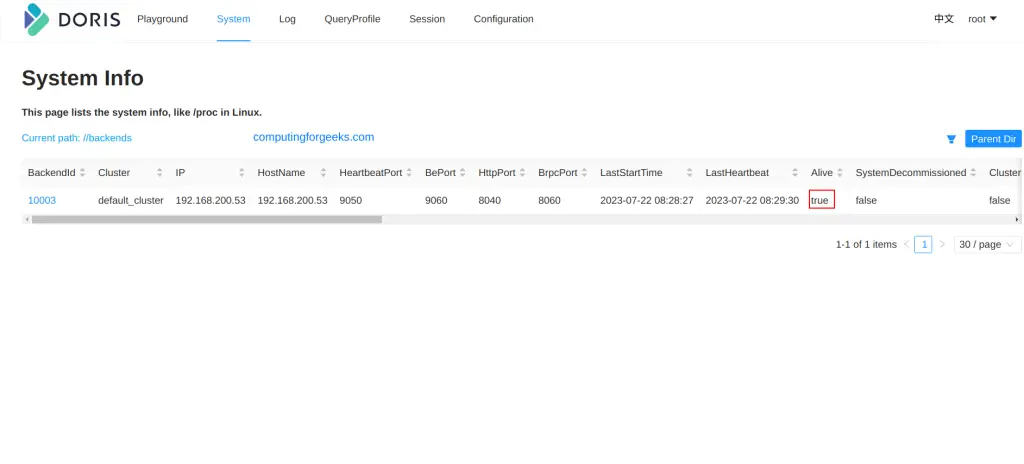
The backend will now be available as shown, on the web.
5. Using Apache Doris Analytics Database
Now we are set to use the Apache Doris Analytics Database as desired. First, create a database using the command:
create database demo;You can then create a table in the database:
use demo;

CREATE TABLE IF NOT EXISTS demo.example_tbl
(
    `user_id` LARGEINT NOT NULL COMMENT "user id",
    `date` DATE NOT NULL COMMENT "",
    `city` VARCHAR(20) COMMENT "",
    `age` SMALLINT COMMENT "",
    `sex` TINYINT COMMENT "",
    `last_visit_date` DATETIME REPLACE DEFAULT "1970-01-01 00:00:00" COMMENT "",
    `cost` BIGINT SUM DEFAULT "0" COMMENT "",
    `max_dwell_time` INT MAX DEFAULT "0" COMMENT "",
    `min_dwell_time` INT MIN DEFAULT "99999" COMMENT ""
)
AGGREGATE KEY(`user_id`, `date`, `city`, `age`, `sex`)
DISTRIBUTED BY HASH(`user_id`) BUCKETS 1
PROPERTIES (
    "replication_allocation" = "tag.location.default: 1"
);
Exit the shell and create sample data in CSV format:
$ vim test.csv
10000,2017-10-01,Nairobi,20,0,2017-10-01 06:00:00,20,10,10
10006,2017-10-01,Nairobi,20,0,2017-10-01 07:00:00,15,2,2
10001,2017-10-01,Nairobi,30,1,2017-10-01 17:05:45,2,22,22
10002,2017-10-02,Mombasa,20,1,2017-10-02 12:59:12,200,5,5
10003,2017-10-02,Dodoma,32,0,2017-10-02 11:20:00,30,11,11
10004,2017-10-01,Kampala,35,0,2017-10-01 10:00:15,100,3,3
10004,2017-10-03,Kigali,35,0,2017-10-03 10:20:22,11,6,6
Import the created data
curl --location-trusted -u root: -T test.csv -H "column_separator:," http://127.0.0.1:8030/api/demo/example_tbl/_stream_loadThe command will return the below output:
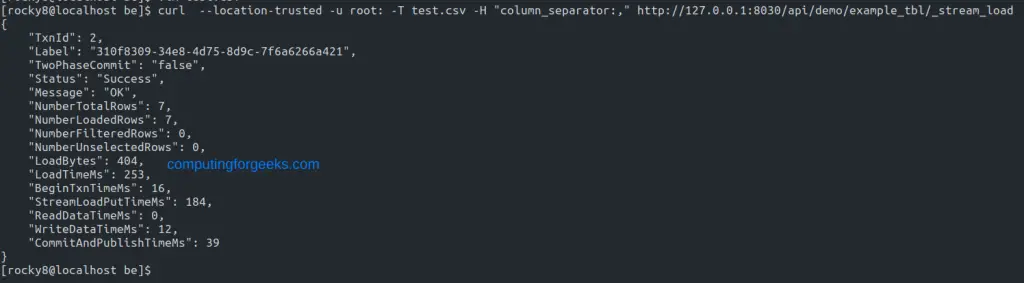
Query data on Doris Analytics Database
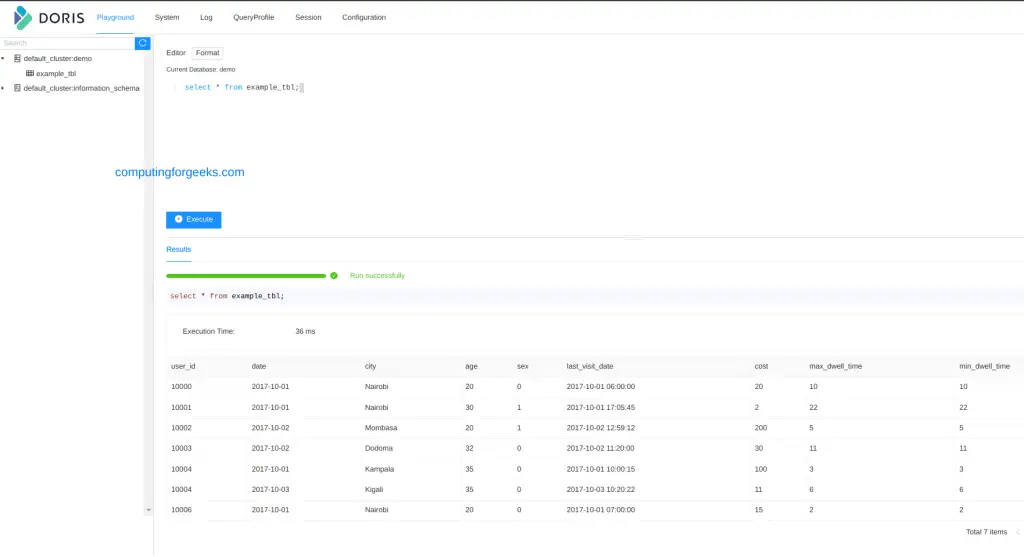
We can now read the imported data using the commands:
mysql> use demo;
Database changed
mysql> select * from example_tbl;
+---------+------------+---------+------+------+---------------------+------+----------------+----------------+
| user_id | date       | city    | age  | sex  | last_visit_date     | cost | max_dwell_time | min_dwell_time |
+---------+------------+---------+------+------+---------------------+------+----------------+----------------+
| 10000   | 2017-10-01 | Nairobi |   20 |    0 | 2017-10-01 06:00:00 |   20 |             10 |             10 |
| 10001   | 2017-10-01 | Nairobi |   30 |    1 | 2017-10-01 17:05:45 |    2 |             22 |             22 |
| 10002   | 2017-10-02 | Mombasa |   20 |    1 | 2017-10-02 12:59:12 |  200 |              5 |              5 |
| 10003   | 2017-10-02 | Dodoma  |   32 |    0 | 2017-10-02 11:20:00 |   30 |             11 |             11 |
| 10004   | 2017-10-01 | Kampala |   35 |    0 | 2017-10-01 10:00:15 |  100 |              3 |              3 |
| 10004   | 2017-10-03 | Kigali  |   35 |    0 | 2017-10-03 10:20:22 |   11 |              6 |              6 |
| 10006   | 2017-10-01 | Nairobi |   20 |    0 | 2017-10-01 07:00:00 |   15 |              2 |              2 |
+---------+------------+---------+------+------+---------------------+------+----------------+----------------+
7 rows in set (0.09 sec)

mysql> select * from example_tbl where city='Mombasa';
+---------+------------+---------+------+------+---------------------+------+----------------+----------------+
| user_id | date       | city    | age  | sex  | last_visit_date     | cost | max_dwell_time | min_dwell_time |
+---------+------------+---------+------+------+---------------------+------+----------------+----------------+
| 10002   | 2017-10-02 | Mombasa |   20 |    1 | 2017-10-02 12:59:12 |  200 |              5 |              5 |
+---------+------------+---------+------+------+---------------------+------+----------------+----------------+
1 row in set (0.04 sec)

mysql> select city, sum(cost) as total_cost from example_tbl group by city;
+---------+------------+
| city    | total_cost |
+---------+------------+
| Nairobi |         37 |
| Mombasa |        200 |
| Dodoma  |         30 |
| Kampala |        100 |
| Kigali  |         11 |
+---------+------------+
5 rows in set (0.05 sec)
You can also execute the above commands from the web:
6. Manage Apache Doris Analytics Services
In case you need to manage the services, you can use the below commands from the appropriate directory:
- Stop Doris FE(switch to the fe directory) and execute
./bin/stop_fe.sh- To stop Doris BE(switch to the BE directory) and run
./bin/stop_be.shFinal Thoughts
That marks the end of this guide on how to install and use Apache Doris Analytics Database on Rocky / AlmaLinux 8. You can now use it to manage big data, such as data mining, business, market and customer data for business intelligence (BI) analysis. I hope this was informative!
See more:
